


Adding a Calendar in Outlook

Nov 04, 2022
 70
70
Depending on which version of Outlook you're on, the steps may be different, or the user interface may look different.
Please click on the images to expand them if needed.
1. Click on Calendar icon on your Outlook
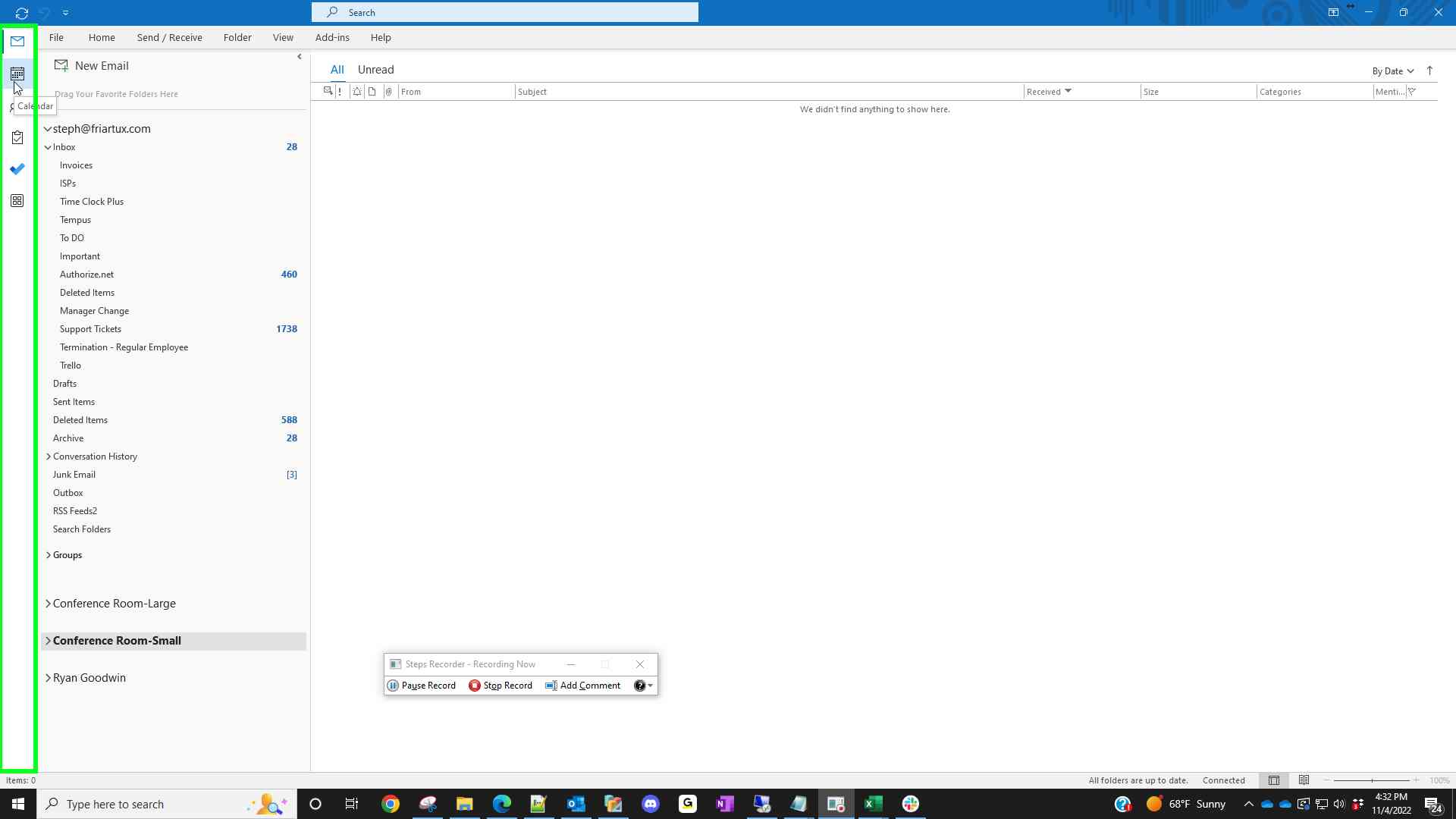
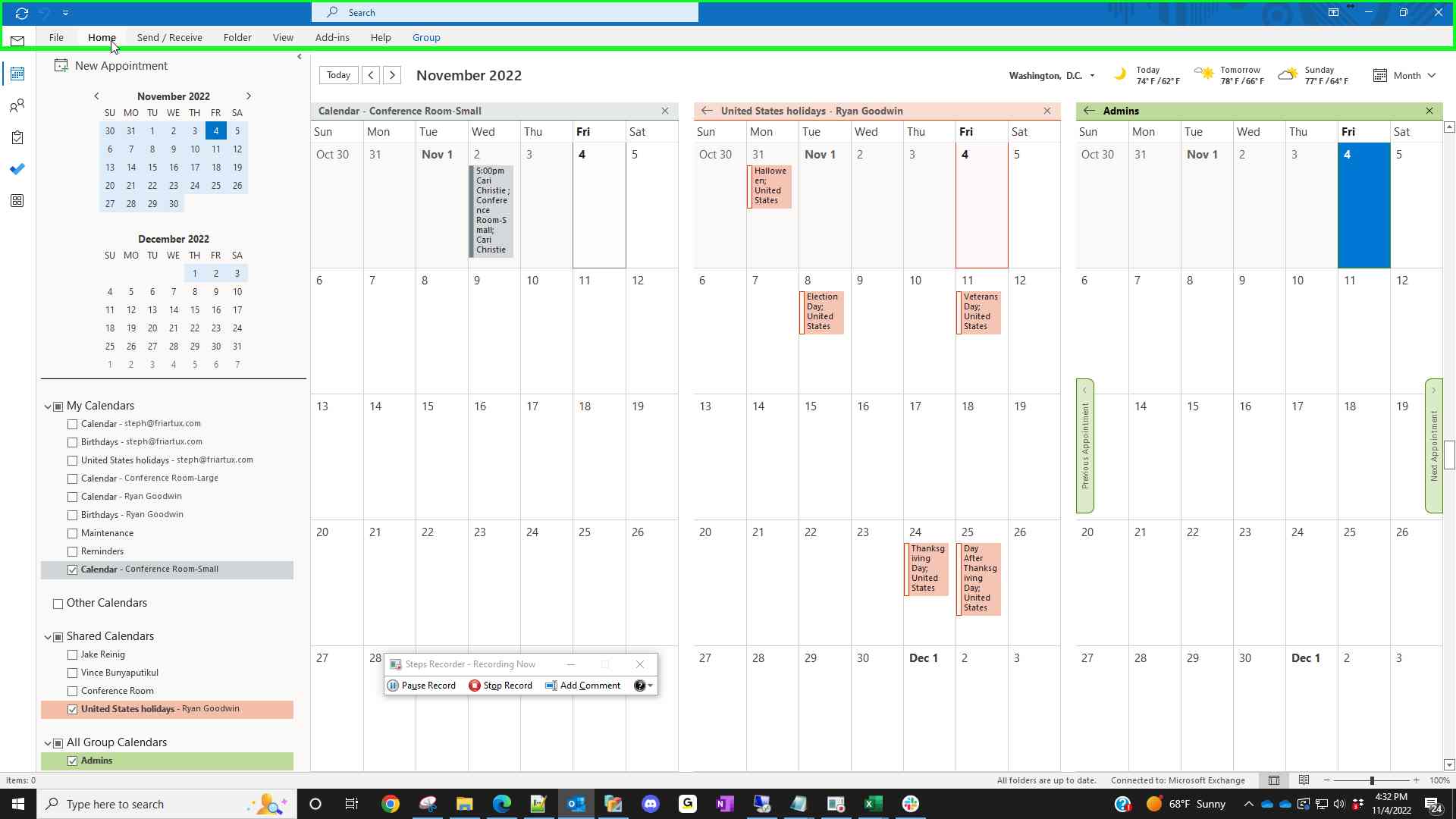
2. Click Home button if your Menu does not show any items
3. Click Open Calendar
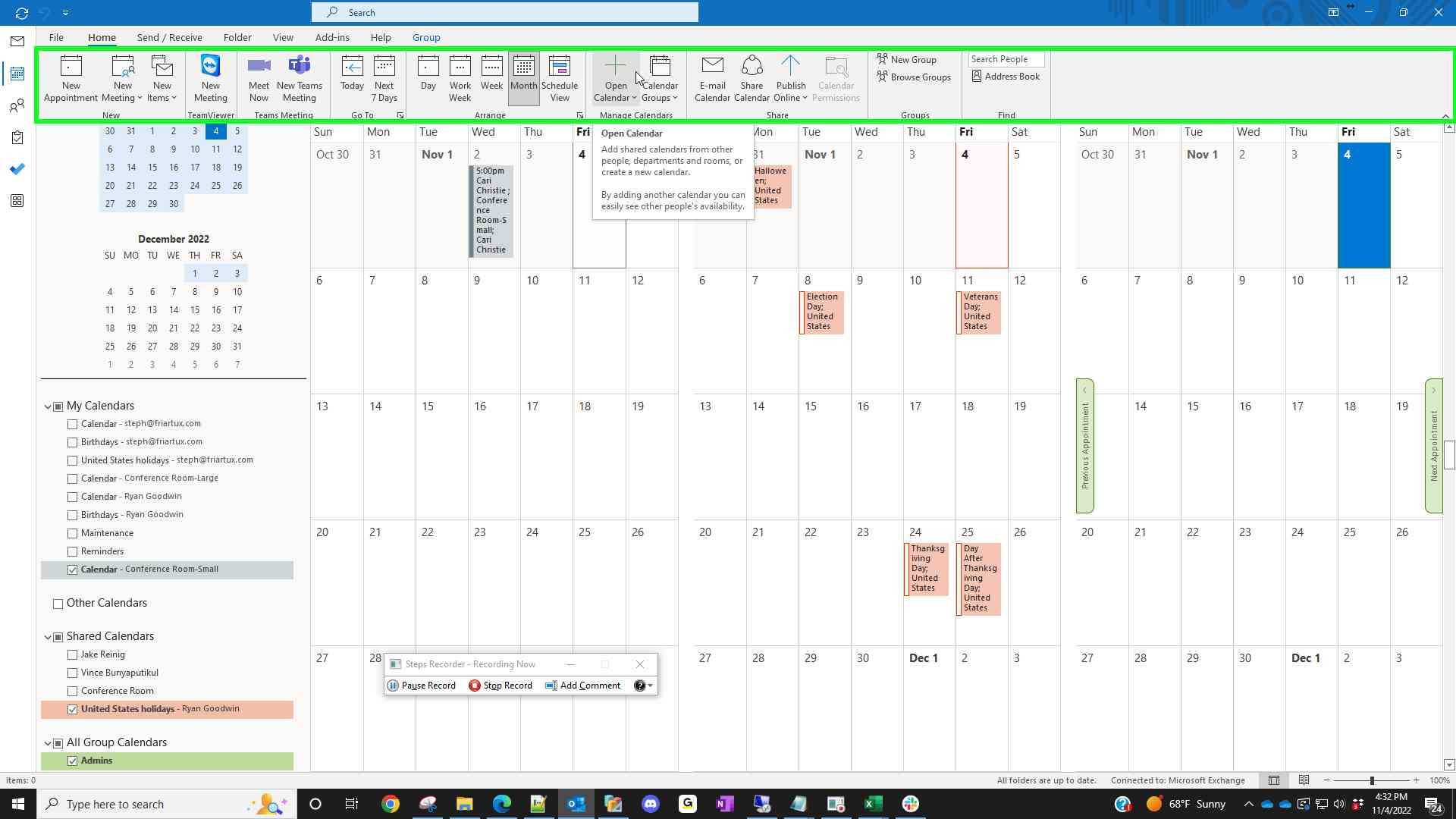
4. Click From Address Book

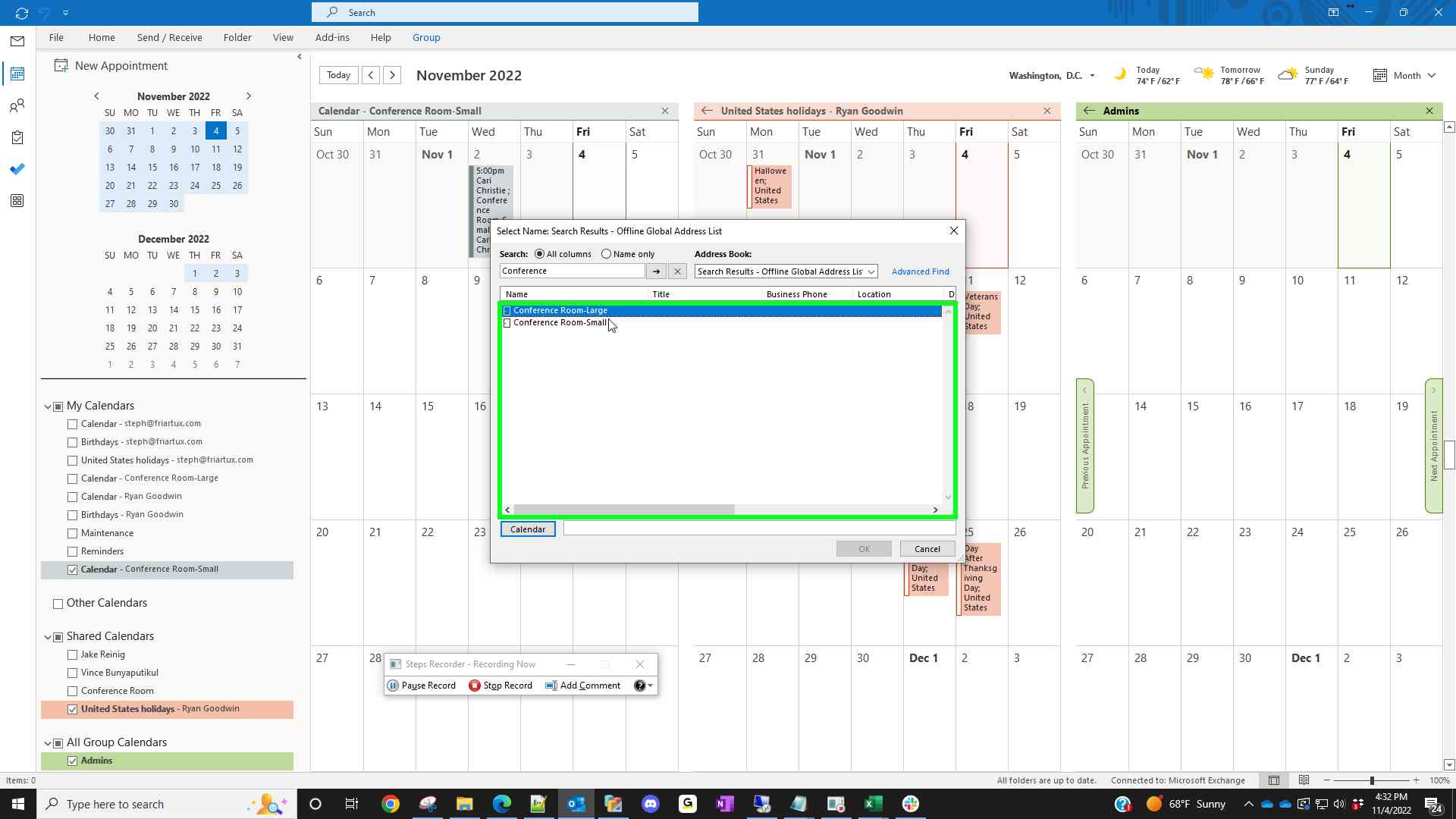
5. Search for “Conference”
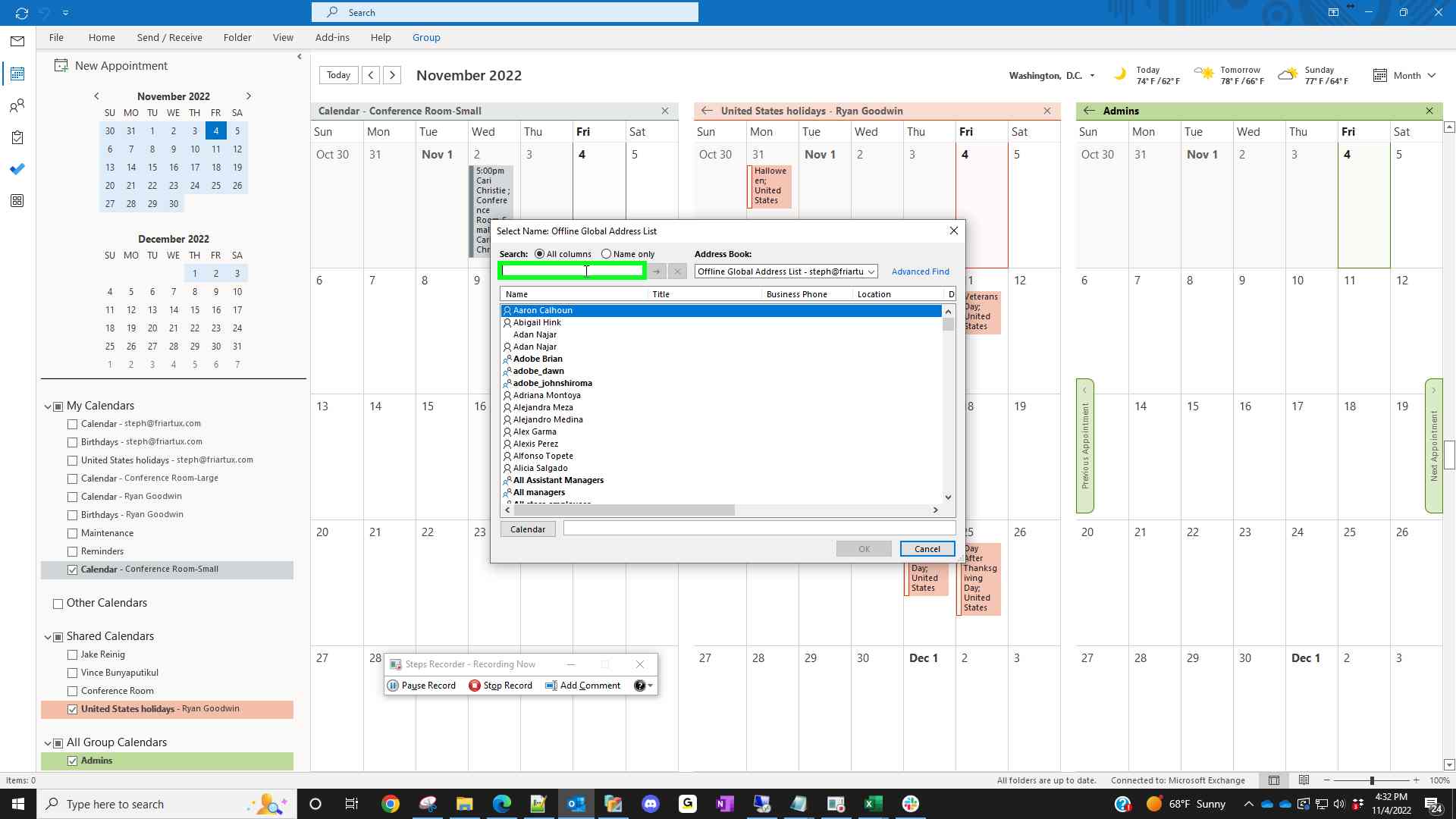
6. Double click on the calendar you want to add
7. Click "OK"
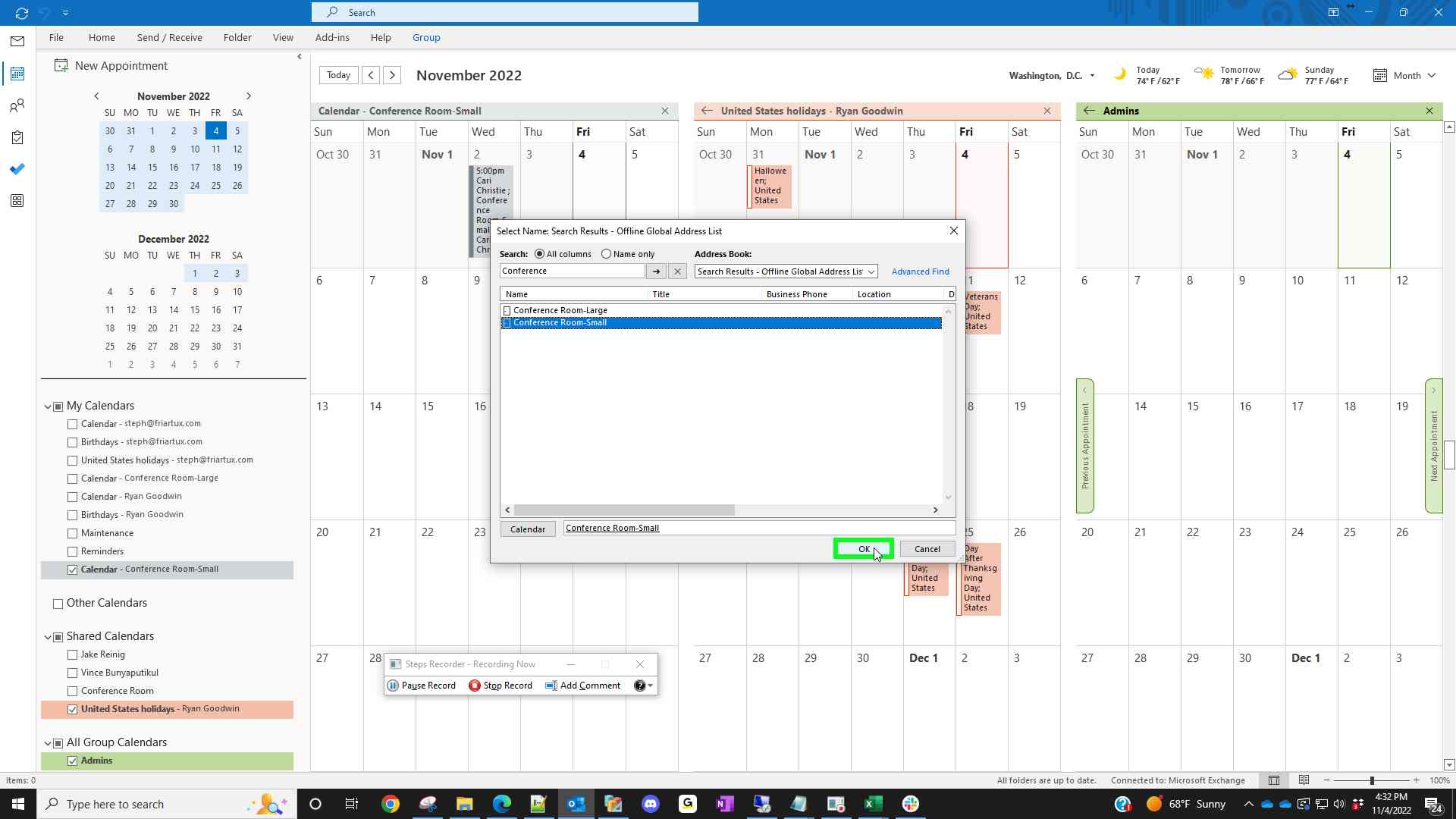
It will now show up on your calendar list. You may need to check the box for it to show :)

